

Crypto-as-a-Service
Set Up Child Enterprises
Overview
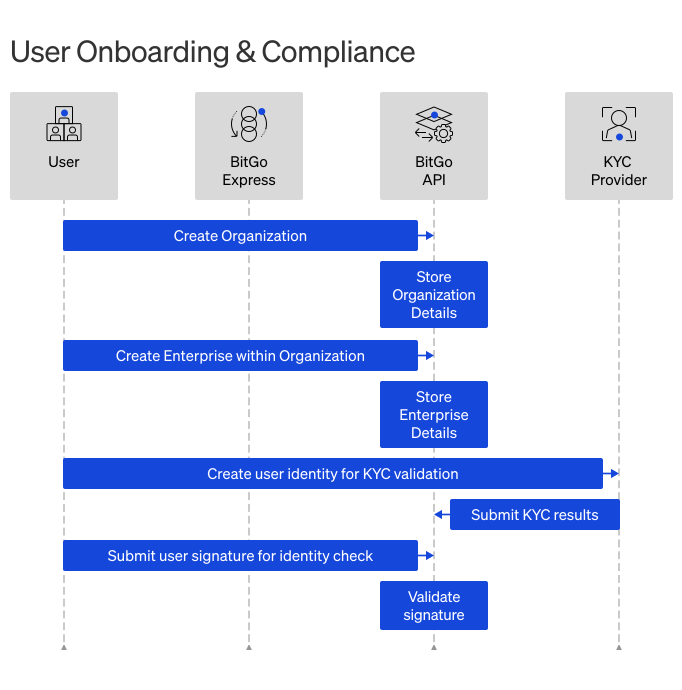
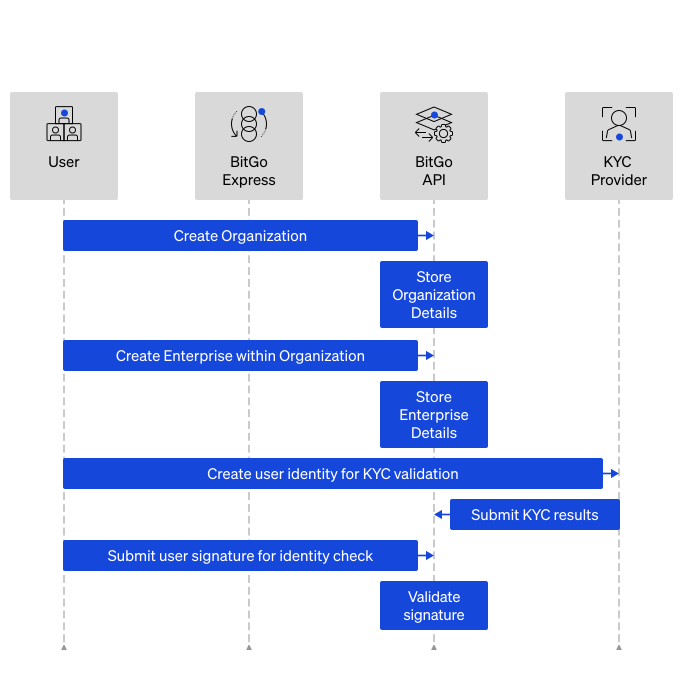
You create a child enterprise and a BitGo user account for each of your end users. Before creating child enterprises, designate a specific email account to serve as the service user. When you create a child enterprise, the service user is automatically assigned Admin, Spender, and Trader roles, enabling access to manage wallets, initiate transactions, and execute trades.
Prerequisites
- Get Started
- Set Up Organization
- You must be the service user.
Cookbook
Need just the steps? Expand the cookbook below to get started:
Set Up Child EnterprisesOpen CookbookSet Up Child Enterprise
Create a child enterprise and end user account. The service user automatically gets admin access to the new child enterprise, so you don't need to include them in additionalAdmins. The additionalAdmins field is optional and can be omitted if the service user is the only admin needed.
Set accountType to individual for a person or entity for a business. This determines whether KYC or KYB verification is required. If you don't specify an account type, it defaults to your organization-level configuration.
Note
In the test environment, child enterprises start with an approved KYC state by default. To simulate the full production onboarding flow, set fullSandboxKyc: true when creating the enterprise. This field has no effect in production.
Endpoint: Create an Enterprise for an Organization
export ORGANIZATION_ID="<YOUR_ORGANIZATION_ID>"
export ACCESS_TOKEN="<SERVICE_USER_ACCESS_TOKEN>"
export EMAIL="<YOUR_USER'S_EMAIL>"
export IDEMPOTENCY_KEY="<UNIQUE_IDENTIFIER_PER_REQUEST>"

curl -X POST \
  "https://app.bitgo-test.com/api/v2/organization/$ORGANIZATION_ID/enterprise" \
  -H "Content-Type: application/json" \
  -H "Authorization: Bearer $ACCESS_TOKEN" \
  -d '{
    "email": "'"$EMAIL"'",
    "idempotencyKey": "'"$IDEMPOTENCY_KEY"'",
    "accountType": "individual", # use "entity" for business type end users
    "isCaaS": "'"true"'", # optional field to indicate this is a CaaS child enterprise - by default, it is true
    "fullSandboxKyc": "'"true"'" # optional (test environment only) — creates the enterprise with pending KYC state to simulate the full production onboarding flow
}'
import superagent from 'superagent';
import { v4 as uuidv4 } from 'uuid';
const ACCESS_TOKEN = '<SERVICE_USER_ACCESS_TOKEN>';
const organizationId = '<YOUR_ORGANIZATION_ID>';

const apiUrl = `https://app.bitgo-test.com/api/v2/organization/${organizationId}/enterprise/`

const params = {
 email: 'johnsmith@bitgo.com',
 idempotencyKey: uuidv4(),
 accountType: 'individual', // use 'entity' for business type end users
 isCaaS: 'true', // optional field to indicate this is a CaaS child enterprise - by default, it is true
 fullSandboxKyc: true // optional (test environment only) — creates the enterprise with pending KYC state to simulate the full production onboarding flow
};

response = await superagent
 .post(apiUrl)
 .set('Authorization', `Bearer ${ACCESS_TOKEN}`)
 .set('Accept', 'application/json')
 .send(params);
Step Result
All of the following occurs:
- Create a new child enterprise within your parent organization with the specified account type.
- Create a new user for the child enterprise (this is your end user).
- Assign the service user to the child enterprise.
- Assign organization admins to the child enterprise (only when
additionalAdminsis provided).
{
  "enterpriseId": "59cd72485007a239fb00282ed480da1f", // newly created child enterprise for end user
  "userId": "59cd72485007a239fb00282ed480da1f" // primary contact for the end user of the child enterprise
}
Next Steps
From here, use the service user for all operations on child enterprises.
Complete KYC Verification for individual users or Complete KYB Verification for business users.